
Quick answer: An on-page SEO checklist is the list of things you fix on each page of your own website so Google understands it, trusts it and shows it to the right people. For Indian businesses in 2026, the non-negotiables are search intent, clear titles and headings, proof of real expertise, honest business details, fast mobile pages and clean structured data.
Key takeaways
- Check what already ranks before you write a word. If Google shows comparison tables and you’ve written a sales page, no amount of keyword tweaking will save it.
- 77.3% of web traffic in India comes from mobile phones (StatCounter, September 2026). Google indexes the mobile version of your page. Test everything on a phone first.
- Trust is the biggest factor you control. Real author names, a real address, a working phone number and clear policies matter more than keyword density.
- A lot of popular advice is out of date. FAQ rich results stopped showing in May 2026, the Mobile-Friendly Test was retired in December 2023, and INP replaced FID in March 2024.
Pick up a ₹9,000 Android phone. Switch off Wi-Fi. Open your website on mobile data.
How long before you can read anything? Does a WhatsApp pop-up cover half the screen? Is the phone number tappable, or do you have to copy it by hand? Does the page say who’s behind the business?
Most Indian business websites fail this test before Google even enters the picture. And the people searching for your services are mostly using that kind of phone. Google says India is its largest user base in the world for voice and visual search, and the IAMAI-Kantar Internet in India 2024 report counted 88.6 crore active internet users, 55% of them in rural India.
This guide gives you 20 factors that every important page on your site has to get right, with a printable checklist at the end. It’s written for owners, marketing managers and in-house teams at Indian businesses: CA firms, clinics, coaching institutes, manufacturers, D2C brands, real estate developers, agencies and local shops with a website.
How we built this guide: we read the pages that rank on Google for “on-page SEO checklist” in India and globally (Semrush, HubSpot, Neil Patel, WebWave, Zinavo and others), listed what each covers, and checked their claims against Google’s own documentation. Several popular tips turned out to be outdated or wrong, and we’ve flagged them. Our case studies come from Google’s web.dev team (The Economic Times, redBus) and a published 80,959-title study by Zyppy. Indian data comes from IAMAI-Kantar and StatCounter. Legal points come from the Consumer Protection (E-Commerce) Rules, 2020 and the Digital Personal Data Protection Rules, 2025.
What’s in this guide
1. The numbers that shape on-page SEO in India
2. What changed recently (ignore advice older than this)
3. The 20 factors at a glance
4. Part A: Content factors (1 to 5)
5. Part B: The HTML elements Google reads (6 to 11)
6. Part C: Trust factors (12 to 15)
7. Part D: Page experience factors (16 to 18)
8. Part E: Machine-readable factors (19 and 20)
9. Myths you can stop worrying about
10. 8 on-page SEO mistakes Indian businesses keep making
11. The printable on-page SEO checklist for Indian businesses
12. Which factors matter most for your type of page?
13. How to audit one page in 30 minutes with free tools
14. Frequently asked questions
The numbers that shape on-page SEO in India
What | The number | Source |
Share of web traffic in India from mobile phones | 77.3% (desktop 22.1%, tablet 0.6%) | StatCounter, September 2026 |
Active internet users in India | 88.6 crore (886 million), 55% in rural India | IAMAI-Kantar Internet in India 2024 |
Internet users who accessed content in Indian languages | 98% | IAMAI-Kantar Internet in India 2024 |
Urban internet users who prefer regional-language content | About 57% | IAMAI-Kantar Internet in India 2024 |
Indian languages Google’s AI Mode works in | 9 (English, Hindi, Bengali, Kannada, Malayalam, Marathi, Tamil, Telugu, Urdu) | Google India blog, 8 October 2025 |
Page titles Google rewrote in search results | 61.6% of 80,959 titles studied | Zyppy, 2022 |
redBus sales increase after fixing page responsiveness (INP) | 7% | web.dev case study, May 2023 |
Two of these numbers should change how you work. If three out of four visitors are on a phone, you design and test for the phone and treat desktop as the extra. And if most Indians are comfortable with content in their own language, an English-only site leaves a lot of searches to your competitors.
What changed recently (ignore advice older than this)
Many on-page SEO checklists that rank today were written years ago and lightly refreshed. Before you follow any tip, check it against this table.
Date | What changed | What it means for you |
December 2023 | Google retired the Mobile-Friendly Test tool and the Mobile Usability report | Any checklist that tells you to “run Google’s Mobile-Friendly Test” is outdated. Use Lighthouse in Chrome or PageSpeed Insights instead. |
12 March 2024 | Interaction to Next Paint (INP) replaced First Input Delay (FID) as a Core Web Vital | Responsiveness is now judged on every tap and click, not only the first one. Heavy JavaScript hurts more than before. |
July 2024 | Google finished moving all sites to mobile-first indexing | Content that only exists on your desktop version is effectively invisible to Google. |
8 October 2025 | AI Mode expanded to seven more Indian languages, after English and Hindi | Clear, direct answers in your pages can now get picked up in Indian-language AI answers too. |
13 November 2025 | India’s DPDP Rules notified; main notice and consent duties apply from 13 May 2027 | Your privacy notice and form consent will need updating. It’s a trust signal and a legal duty. |
7 May 2026 | FAQ rich results stopped appearing in Google Search entirely | Adding FAQ schema will no longer get you those expandable questions in Google’s results. Keep FAQs for readers, not for rich results. |
Google’s Search Central team talked through what still matters, and what they deliberately removed, when they rewrote their own SEO Starter Guide. It’s a useful listen before you start.
Video: Google Search Central, "Rewriting the SEO Starter Guide | Search Off the Record."
The 20 factors at a glance
# | Factor | Group | Effort to fix |
1 | Match the search intent | Content | Medium |
2 | One page, one main topic | Content | Low |
3 | Show first-hand experience | Content | Medium |
4 | Answer the question early | Content | Low |
5 | Write for Indian readers (and Indian languages) | Content | Medium to high |
6 | Title tag | HTML elements | Low |
7 | Meta description | HTML elements | Low |
8 | One clear H1 and a sensible heading outline | HTML elements | Low |
9 | Clean, readable URLs | HTML elements | Low (new pages) / Medium (old pages) |
10 | Images: alt text, file size, dimensions | HTML elements | Medium |
11 | Internal links with descriptive anchor text | HTML elements | Medium |
12 | Real authors and an honest About page | Trust | Low |
13 | Complete, consistent business details | Trust | Low |
14 | Policies Indian law expects | Trust | Medium |
15 | Fresh, accurate content with honest dates | Trust | Ongoing |
16 | Same content on mobile and desktop | Page experience | Medium |
17 | Core Web Vitals on Indian networks | Page experience | High |
18 | HTTPS and no pop-ups blocking the page | Page experience | Low |
19 | Structured data that matches the page | Machine-readable | Medium |
20 | Indexability: canonical, noindex, robots.txt | Machine-readable | Low |
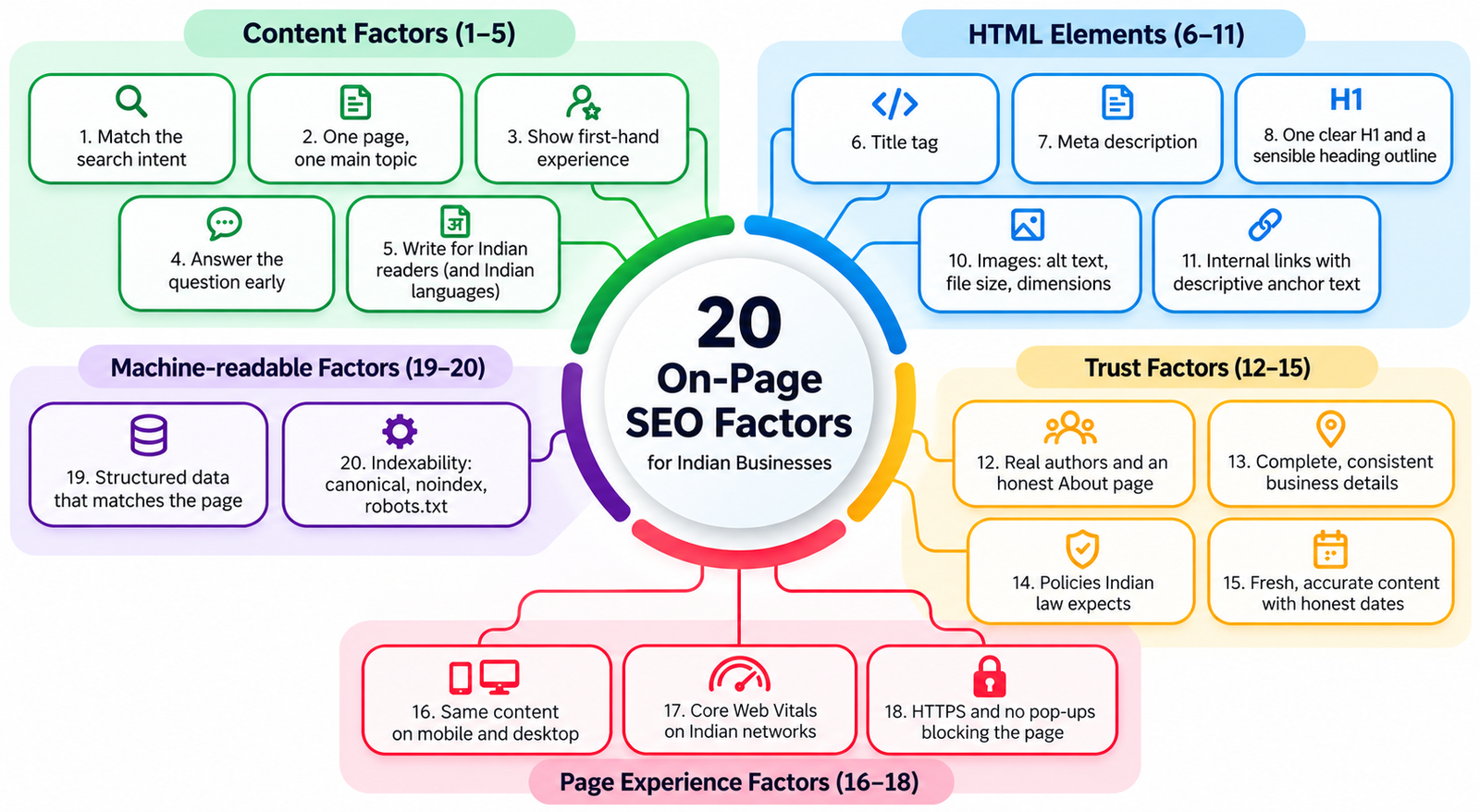
Start with the “Low” effort items on your five most important pages. That alone fixes a surprising amount.
Part A: Content factors (1 to 5)
1. Match the search intent
This is factor number one for a reason. Get it wrong and nothing else on this list matters.
Search intent is what the person typing the query actually wants. Someone searching “GST registration online” wants to get it done, so they expect a service page with fees and documents. Someone searching “what is GST composition scheme” wants an explanation. Someone searching “Zoho Books vs Tally” wants a comparison.
How to check intent in five minutes:
- Search your main keyword on Google in an incognito window, set to India.
- Look at the top 10 results. Are they service pages, blog guides, product listings, comparison posts or videos?
- Note what they have in common: tables, price ranges, step-by-step lists, calculators, maps.
- Build your page in the same format, then make it better than all of them.
If the top results are all lists of “best CA firms in Pune” from directories, a single CA firm’s homepage will struggle for that keyword. You’re better off targeting “GST return filing for small businesses in Pune” with a proper service page, and getting listed on those directories.
2. One page, one main topic
Each important page should own one main topic and one primary keyword (plus its close variations). When two of your pages chase the same keyword, Google has to pick one, and it often picks the weaker one. SEOs call this keyword cannibalisation.
A common Indian example: a coaching institute with separate blog posts called “NEET preparation tips,” “How to prepare for NEET” and “NEET study plan,” all saying roughly the same thing. Merge them into one strong guide, redirect the other two URLs to it with a 301 redirect, and you’ll usually see the merged page climb.
Quick check: search site:yourdomain.com “keyword” on Google. If three of your pages show up for the same idea, decide which one is the main page.
3. Show first-hand experience (the heart of E-E-A-T)
E-E-A-T stands for Experience, Expertise, Authoritativeness and Trustworthiness. It comes from Google’s quality rater guidelines, and Google’s own documentation says trust is the most important part of it.
Here’s something most checklists get wrong. Google’s SEO Starter Guide says plainly that E-E-A-T itself is not a ranking factor. You can’t “add E-E-A-T” with a plugin. What Google’s systems look for are signals that a page was made by people who know the subject and are honest about who they are. E-E-A-T is the framework Google’s human raters use to judge whether its systems are getting that right.
So what does experience look like on a page?
- Your own numbers. “Our clinic in Indore treated 1,140 root canal cases in 2025, and 92% needed only two sittings” beats “root canal treatment is usually quick.”
- Your own photos. Real photos of your factory floor, your team, your finished projects. Stock photos of smiling people in suits tell Google and readers nothing.
- Specific situations. “If your GST registration is rejected for an address-proof mismatch, here’s the exact reply format we use” is something only a practitioner writes.
- Honest limits. “This advice doesn’t apply if your turnover is above ₹5 crore” shows you know the edges of the topic.
Google’s helpful content guidance gives a simple test: Who made this content, How was it made, and Why does it exist? If the honest answer to “why” is “to rank on Google,” the page has a problem. If you use AI tools to help write, Google asks whether that use is clear to visitors where they’d reasonably expect to know.
4. Answer the question early
People skim. Google’s AI Overviews and AI Mode pull short, clear answers from pages. Both reward the same habit: put the answer near the top.
- Start your page with a 40 to 60 word direct answer to the main question.
- Start each section with a one or two sentence answer, then explain.
- Use tables for comparisons, numbered lists for steps, and short paragraphs (two to four lines on a phone screen).
Compare these two openings for a page on “Udyam registration fees”:
Weak: “In today’s competitive business environment, MSMEs form the backbone of the Indian economy…”
Strong: “Udyam registration is free on the government portal, udyamregistration.gov.in. You only need your Aadhaar and PAN. Private websites that charge ₹1,000 to ₹3,000 for it are not official.”
The second one answers the question, builds trust and protects the reader. Google notices which one people stay on.
5. Write for Indian readers (and Indian languages)
A lot of Indian business websites read like they were written for an American audience. Fix the basics first:
- Prices in ₹, with GST inclusive or exclusive clearly stated.
- Indian units and formats: lakh and crore, DD/MM/YYYY dates, Indian phone format with +91.
- Indian terms people actually search: “society maintenance,” “PG near me,” “CA for ITR filing,” “2BHK in Wakad.”
- City and area names where your service is local.
Then think about language. With 98% of Indian internet users reading content in Indian languages, a Hindi, Marathi, Tamil or Bengali version of your key pages can open up searches your competitors ignore. If you do it, do it properly:
- Give each language its own URL, for example /hi/ or /mr/. A Google Translate widget that swaps text on the fly doesn’t create pages Google can index.
- Use hreflang tags to tell Google which page is for which language, such as hi-IN for Hindi in India and en-IN for English in India. Each version must link back to the others, or Google may ignore the tags.
- Get a human to review machine translations. Google treats translated pages as separate pages, not duplicates, but a clunky translation loses the reader in seconds.
- Don’t mix scripts in one page title. Google’s documentation says it may rewrite a title that doesn’t match the language or script of the page.
Part B: The HTML elements Google reads (6 to 11)
6. Title tag
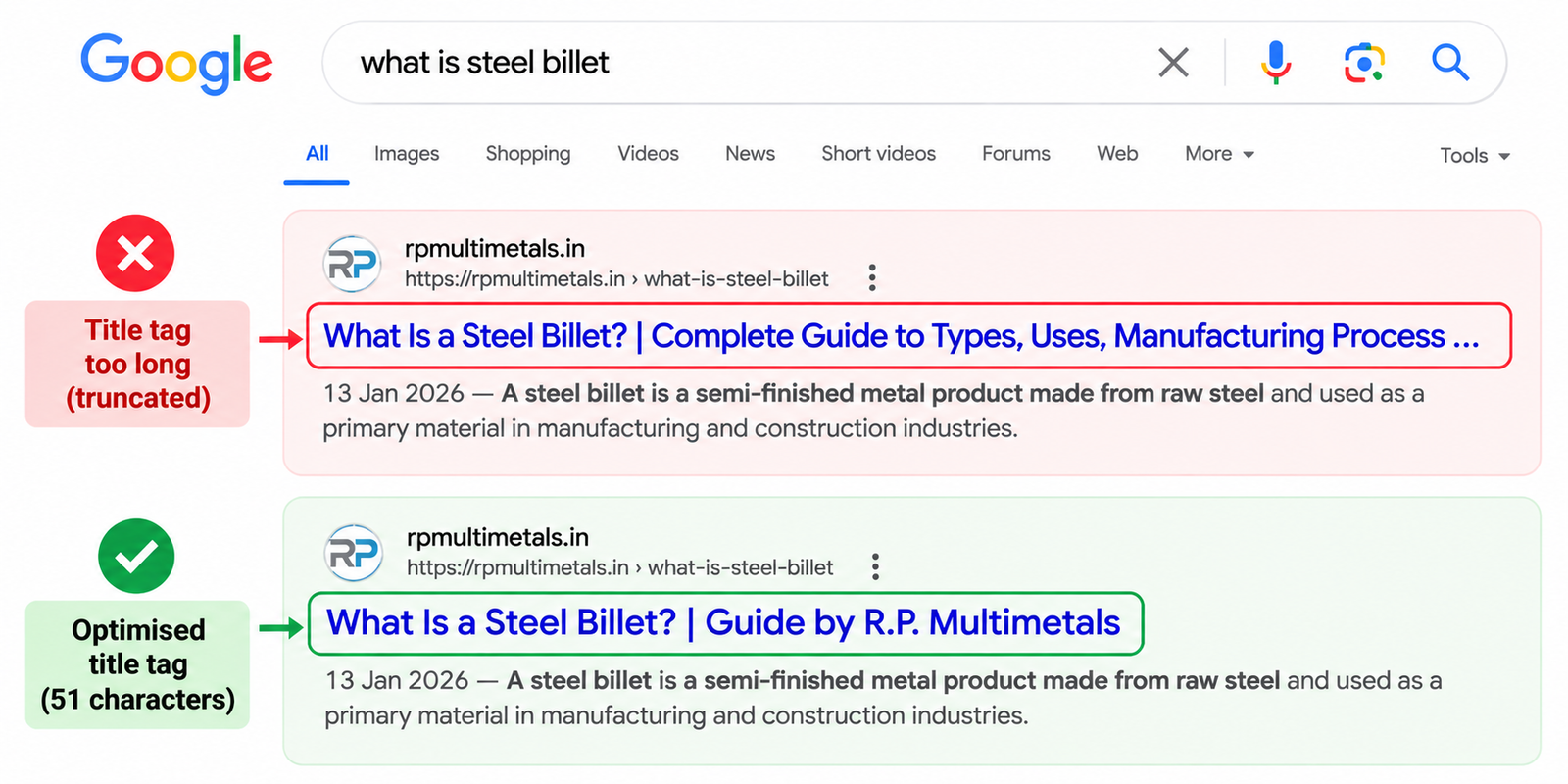
The title tag is the blue clickable headline in Google’s results. It’s still one of the strongest on-page signals.
Google doesn’t set a character limit. Its documentation says titles are cut off “as needed, typically to fit the device width.” But Zyppy’s 2022 study of 80,959 titles found Google rewrote 61.6% of them, and titles between 51 and 60 characters were rewritten the least (about 39% to 42% of the time). Titles over 70 characters were rewritten almost always.
A good title for an Indian business page:
- Puts the main keyword near the start
- Says what the page offers and, if local, where
- Has the brand at the end, if there’s room
- Is different for every page
Weak title | Better title |
Home | Sharma & Associates | Chartered Accountants in Pune for GST & ITR | Sharma & Associates |
Best Digital Marketing Company in India | No.1 SEO Agency | Top Services | SEO Services for Manufacturers in Gujarat | Your Agency Name |
Products | Cotton Kurtis for Women, Handblock Printed in Jaipur | Brand |
Zyppy also found that when the H1 and the title matched closely, Google rewrote titles less often. So keep them aligned.
7. Meta description
The meta description is the grey text under your title in search results. It doesn’t directly affect rankings, but it affects whether people click.
Again, Google sets no length limit, and it often writes its own snippet from your page content. It uses your meta description when it describes the page better than any text on the page. So write one that’s accurate and useful:
- Aim for about 140 to 160 characters so the key message isn’t cut off on most phones.
- Say what the reader gets, and include one concrete detail (price, timing, location, number).
- Write a different one for every important page.
Example: “File your GST return from ₹999 a month. CA-checked, filed before the 20th, with WhatsApp updates. Serving 400+ small businesses in Pune since 2014.”
8. One clear H1 and a sensible heading outline
The H1 is the main headline on the page. Each page should have one H1 that clearly says what the page is about, close in meaning to the title tag.
Below that, use H2s for main sections and H3s for sub-points. Think of it as the table of contents a reader sees when they scroll.
Here’s a myth worth clearing up. Google’s SEO Starter Guide says that, from a search perspective, it doesn’t matter if your headings are used out of order. So don’t panic over an H4 that appears before an H3. Use a logical order anyway, because it helps people using screen readers, and it makes your page easier to skim. But your rankings won’t fall apart over it.
Common mistakes on Indian sites: the logo set as the H1 on every page, the H1 hidden inside a slider image, or no H1 at all because the theme designer used bold text instead.
9. Clean, readable URLs
Google’s Starter Guide recommends URLs with descriptive words that make sense to people, and says keywords in the URL have very little ranking effect on their own. The real benefit is clarity and trust.
Messy URL | Clean URL |
example.in/index.php?page_id=1873&cat=7 | example.in/services/gst-registration/ |
example.in/2019/03/14/blog-post-1/ | example.in/blog/gst-composition-scheme/ |
example.in/Best-SEO-Services-In-Mumbai-India-Cheap | example.in/seo-services-mumbai/ |
Rules of thumb:
- Lowercase, words separated by hyphens.
- Short and stable. Leave years out of URLs for content you plan to update.
- For Hindi or other Indian-language pages, you can use the native script (Google supports UTF-8 URLs) or simple transliteration. Pick one style and stick to it.
- Never change a URL that already ranks without a 301 redirect from the old URL to the new one. This is one of the most common ways Indian businesses lose traffic during a website redesign.
10. Images: alt text, file size, dimensions
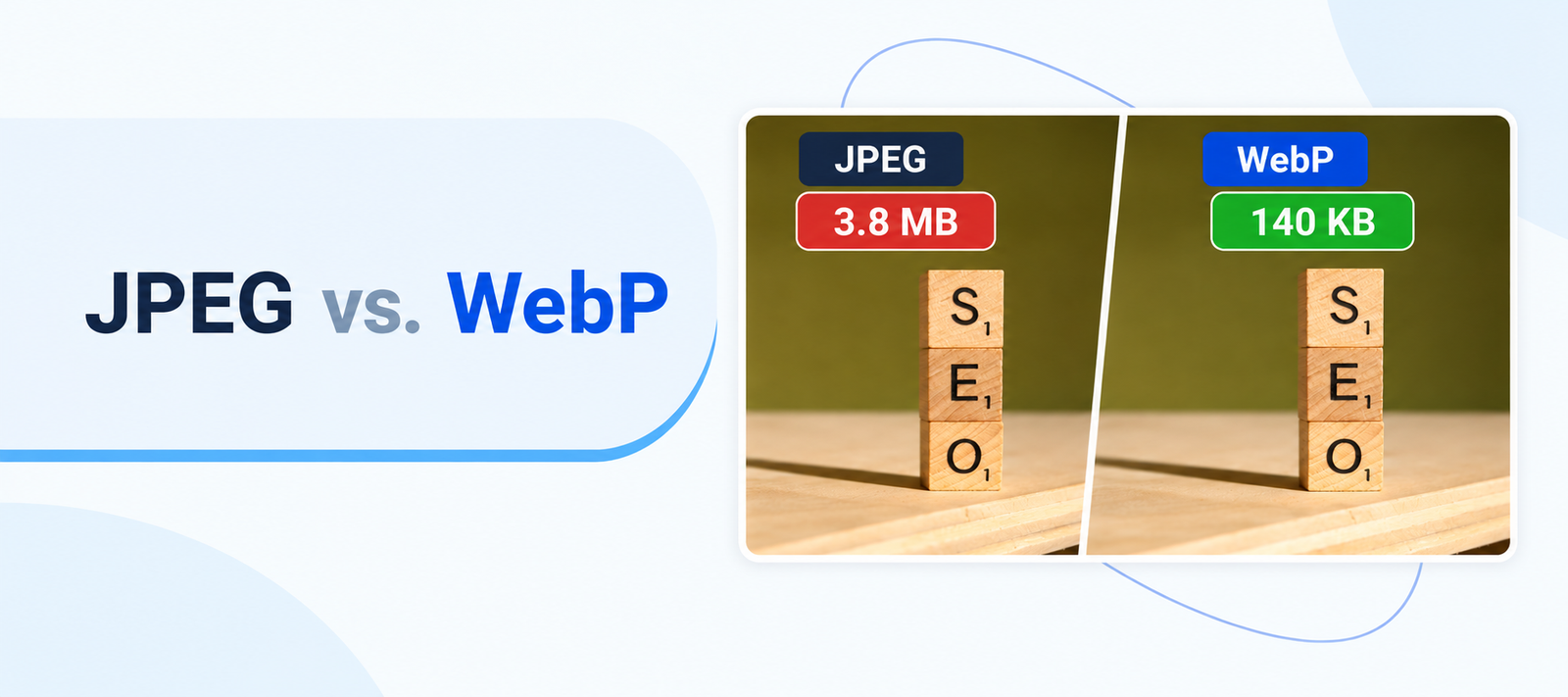
Images are where most Indian websites lose speed. A 4 MB product photo straight from the photographer’s camera will crawl over a patchy 4G connection.
For every important image:
- Compress it. Use WebP or AVIF format. For most photos on a page, staying under about 150 to 200 KB is a reasonable target.
- Resize it to the size it actually shows on screen. Don’t upload a 4000-pixel-wide image to show it at 400 pixels.
- Set width and height in the HTML, so the page doesn’t jump around as images load. That jumping is measured as CLS, a Core Web Vital.
- Write alt text that describes the image for someone who can’t see it. “Handblock printed cotton kurti in indigo, front view” is useful. “kurti kurti buy kurti online best kurti” is keyword stuffing.
- Name the file sensibly: indigo-cotton-kurti-front.webp, not IMG_20250814_093412.jpg.
- Lazy-load images below the fold, but never the main image at the top of the page. Lazy-loading that one slows your Largest Contentful Paint (LCP).
11. Internal links with descriptive anchor text
Internal links are links from one page on your site to another. They help Google find your pages and understand how they relate. They also keep readers moving towards the pages that make you money.
- Link from your blog posts to the related service or product page, and back.
- Use anchor text that describes the destination. Google’s Starter Guide asks for anchor text that helps “users and search engines” understand what the linked page is about. “GST registration documents checklist” works. “Click here” doesn’t.
- Make sure every important page is reachable within three or four clicks from the homepage.
- Fix broken internal links. They waste the reader’s time and Google’s crawl.
There’s no magic number of links per page. Add a link when the reader would genuinely want to go there next.
Part C: Trust factors (12 to 15)
12. Real authors and an honest About page
Google’s helpful content guidance says bylines should lead to more information about the author, “giving background about them.” It also says fake author profiles, such as AI-generated headshots or invented credentials, are a sign of low quality.
For an Indian business, this means:
- Blog posts and guides: a byline with the real person’s name, photo, role and one line of credentials (“Rakesh Kulkarni, CA, 12 years in GST advisory”). Link the name to an author page.
- Advice on money, health or law: add a “Reviewed by” line with a qualified professional (a CA, doctor or advocate) and their registration number if their professional body allows it.
- About page: founders’ names and photos, the year you started, where you operate, what you’ve done (projects, clients, numbers), and memberships or registrations that matter in your field (ISO certification, RERA number, ICAI membership, MSME/Udyam registration).
None of this needs to be fancy. It needs to be true.
13. Complete, consistent business details
Indian buyers are cautious online, and they have good reasons to be. A site with no address and only a contact form looks like a fly-by-night operation.
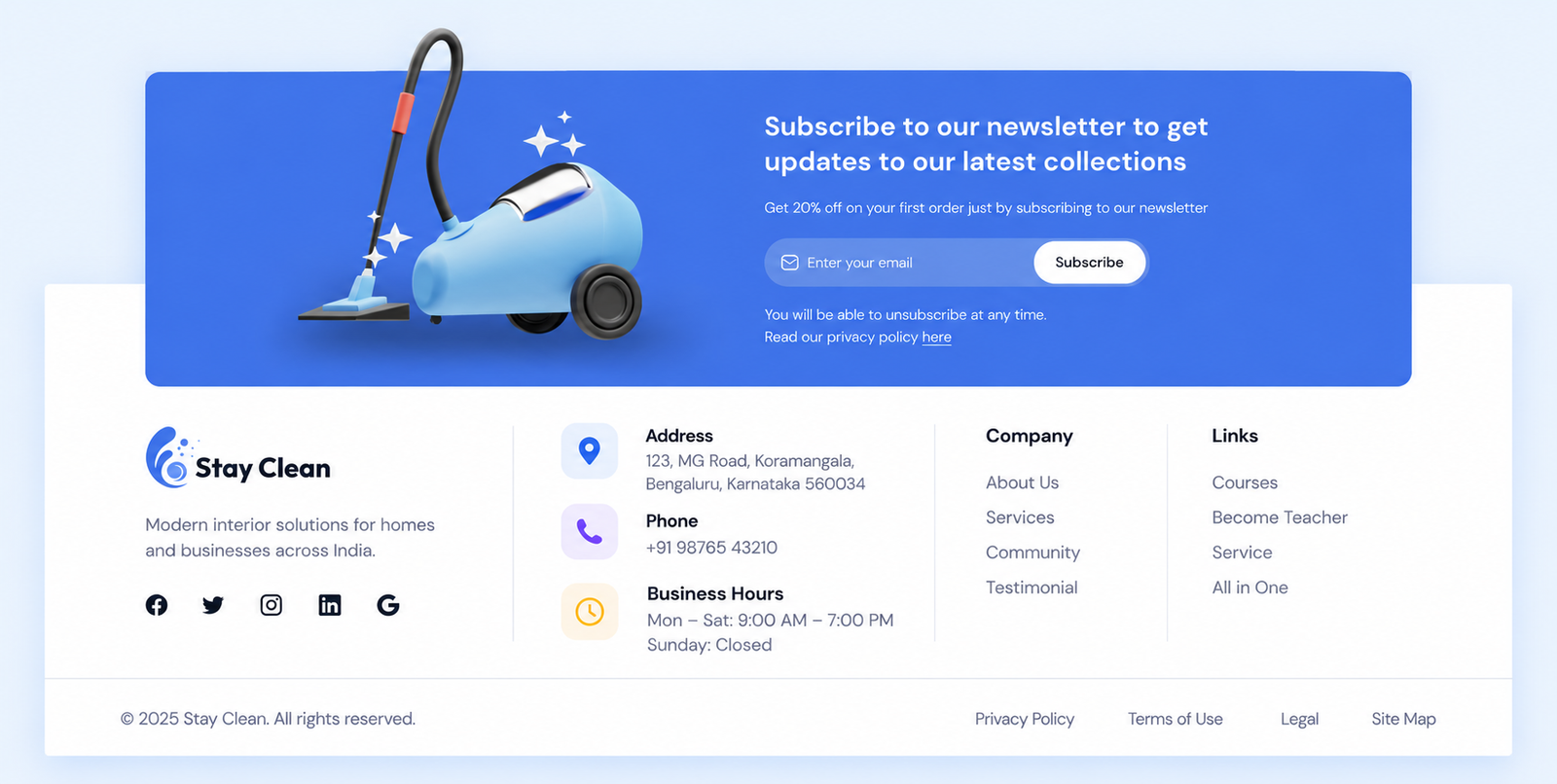
Every business site should show, on every page (usually in the footer):
- Registered business name
- Full address with PIN code
- Phone number in clickable format (tel:+91…), and a WhatsApp link if you use it
- Email address on your own domain (info@yourbusiness.in looks more credible than yourbusiness123@gmail.com)
- Business hours
Keep these exactly the same as your Google Business Profile, Justdial, IndiaMART and other listings. Mismatched addresses and phone numbers confuse both customers and Google’s local results. If you have multiple branches, give each one its own page with its own address, phone and map.
14. Policies Indian law expects
This is the India-specific factor almost every checklist misses, and it’s both a trust signal and a legal duty.
If you sell online (your own D2C store, bookings or paid services), the Consumer Protection (E-Commerce) Rules, 2020, in force since 5 August 2020, require e-commerce entities to clearly show:
- Legal name, address and contact details
- Customer care number and a grievance officer’s details
- Return, refund, exchange, warranty and delivery policies
- Available payment methods
If you collect any personal data (contact forms, WhatsApp opt-ins, newsletter sign-ups, bookings), the Digital Personal Data Protection Rules, 2025 were notified on 13 November 2025. The main notice and consent duties apply from 13 May 2027. You’ll need a clear privacy notice that says what you collect and why, and a simple way for people to withdraw consent.
A “Privacy Policy” copied from another website, with someone else’s company name still in it, is worse than having none. We’ve all seen it. Get these pages written properly, linked in your footer, and reviewed by a lawyer. (This guide isn’t legal advice.)
15. Fresh, accurate content with honest dates
Google’s Starter Guide suggests checking in on old content and updating it as needed. In India, things change fast: GST rates, tax slabs, government scheme rules, prices, phone numbers.
- Show a “Last updated” date on guides and articles, and only change it when you’ve made a real update.
- Review your top 20 pages every six months. Fix outdated numbers, broken links and expired offers.
- Don’t fake freshness by changing the year in the title every January without touching the content. Readers notice. So do the people who might link to you.
Part D: Page experience factors (16 to 18)
16. Same content on mobile and desktop
Google uses the mobile version of your page for indexing and ranking. Its documentation is direct: “Only the content shown on the mobile site is used for indexing.”
So if your theme hides sections, tables, reviews or FAQs on mobile to “keep it clean,” Google may never see them. Check that:
- The main text, headings, images and structured data are the same on mobile and desktop.
- Text is readable without zooming (16px body text is a safe default).
- Buttons and links are big enough to tap without hitting the one next to them.
- Tables scroll sideways on phones instead of breaking the layout.
Since the Mobile-Friendly Test is gone, use Chrome’s built-in Lighthouse report (right-click, Inspect, Lighthouse) or test on two or three real, inexpensive Android phones.
17. Core Web Vitals on Indian networks
Core Web Vitals are Google’s three measures of how a page feels to use:
Metric | What it measures | Good score (Google) |
Largest Contentful Paint (LCP) | How fast the main content shows up | 2.5 seconds or less |
Interaction to Next Paint (INP) | How quickly the page reacts to taps and clicks | Under 200 milliseconds |
Cumulative Layout Shift (CLS) | How much the layout jumps around while loading | Under 0.1 |
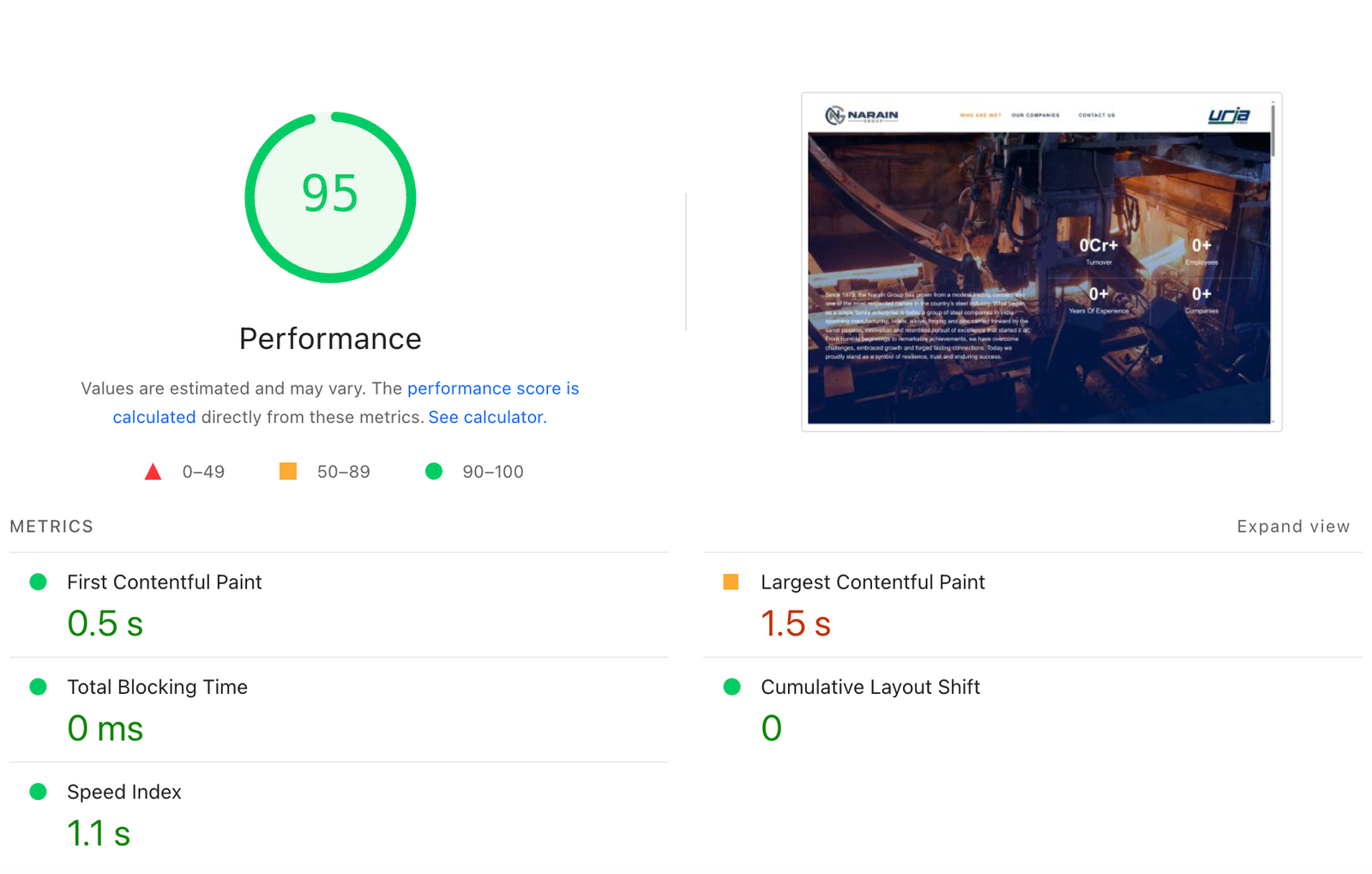
Google says these align with what its ranking systems reward, but it’s also clear that “Google Search always seeks to show the most relevant content, even if the page experience is sub-par.” Speed won’t rescue a page that doesn’t answer the query. Between two equally good pages, it can make the difference. And it changes how many visitors become customers, which matters even more.
Two Indian companies have published exactly what speed work did for them:
- The Economic Times cut its LCP from 4.5 seconds to 2.5 seconds and its CLS from 0.25 to 0.09 between October 2020 and July 2021, by reserving space for ads, setting image dimensions, switching to Brotli compression and deferring third-party scripts. Its overall bounce rate improved by 43%. A later project brought INP down from over 1,000 ms to 257 ms, with a 50% drop in bounce rate and a 43% rise in pageviews (web.dev, 2021 and 2023).
- redBus fixed slow responses on its search results page by loading 10 results at a time instead of 30 and calming down its scroll handlers. INP on lazy-loading fell from about 870 to 900 ms to about 350 to 370 ms, and redBus reported a 7% increase in sales (web.dev, May 2023).
You don’t need an engineering team like theirs. For a typical small business WordPress site, the usual fixes are:
- Compress and resize images (Factor 10).
- Remove plugins you don’t use. Every chat widget, slider and tracking script adds weight.
- Use a caching plugin and a CDN. Choose hosting with servers in India or a CDN with Indian locations.
- Load third-party scripts (chat, ads, analytics) after the main content.
- Reserve space for anything that loads late, like banners and embeds, so the page doesn’t jump.
Where to check: Google Search Console’s Core Web Vitals report shows real-user data for your whole site. PageSpeed Insights shows data for a single page. Test on the “Mobile” tab, not desktop.
18. HTTPS and no pop-ups blocking the page
Google’s page experience checklist asks whether pages are served securely and whether they avoid intrusive interstitials. In plain English: you need HTTPS, and you shouldn’t cover your content with pop-ups the moment someone lands.
- HTTPS: most hosts give a free SSL certificate. Make sure every HTTP URL redirects to HTTPS, and that there are no “mixed content” warnings from images still loaded over HTTP.
- Pop-ups: the full-screen “Enquire Now” form that opens before the reader has seen anything is one of the most common problems on Indian business sites. Use a small sticky button or a banner instead. Cookie notices and legally required messages are fine.
- Ads: if you run ads, make sure the main content is still easy to find and read. Google’s guidance asks whether visitors can “easily distinguish the main content from other content on your page.”
Part E: Machine-readable factors (19 and 20)
19. Structured data that matches the page
Structured data (also called schema markup) is code that tells Google, in a fixed format, what’s on your page: your business name and address, a product’s price in rupees, an article’s author, a breadcrumb trail.
The types most Indian businesses should use:
Page type | Schema type | Key details to include |
Homepage | Organization (or LocalBusiness) | Name, logo, address with addressCountry: IN, phone with +91, social profiles |
Local branch or clinic page | LocalBusiness (or a specific subtype like Dentist, LegalService, Store) | Address, geo coordinates, opening hours, phone |
Product page | Product with Offer | Price, priceCurrency: INR, availability, reviews (only real ones) |
Blog post or guide | Article | Headline, author with a link to their page, dates |
Any deeper page | BreadcrumbList | The path from homepage to this page |
Two important updates:
- FAQ rich results are gone. Google stopped showing them on 7 May 2026, after limiting them to government and health sites in August 2023. FAQ schema is still valid code and does no harm, but don’t expect it to win you extra space in Google’s results.
- Structured data must match what’s visible. Marking up 5-star reviews that aren’t on the page, or a price that’s different from the one shown, can get you a manual action.
Test every page type with Google’s Rich Results Test, and watch the “Enhancements” section in Search Console for errors.
20. Indexability: canonical, noindex, robots.txt
Every other factor is wasted if Google can’t index the page. These checks take minutes.
- Canonical tag: each page should point to itself as the canonical (<link rel=”canonical” href=”…”>), unless it’s a genuine duplicate. Watch for themes that point every page to the homepage by mistake.
- noindex: make sure important pages don’t carry a noindex tag. This happens often when a site moves from a staging server to live and the developer forgets to switch off “Discourage search engines” in WordPress.
- robots.txt: check yourdomain.in/robots.txt doesn’t block important folders, CSS or JavaScript.
- XML sitemap: submit it in Search Console and keep only live, indexable URLs in it.
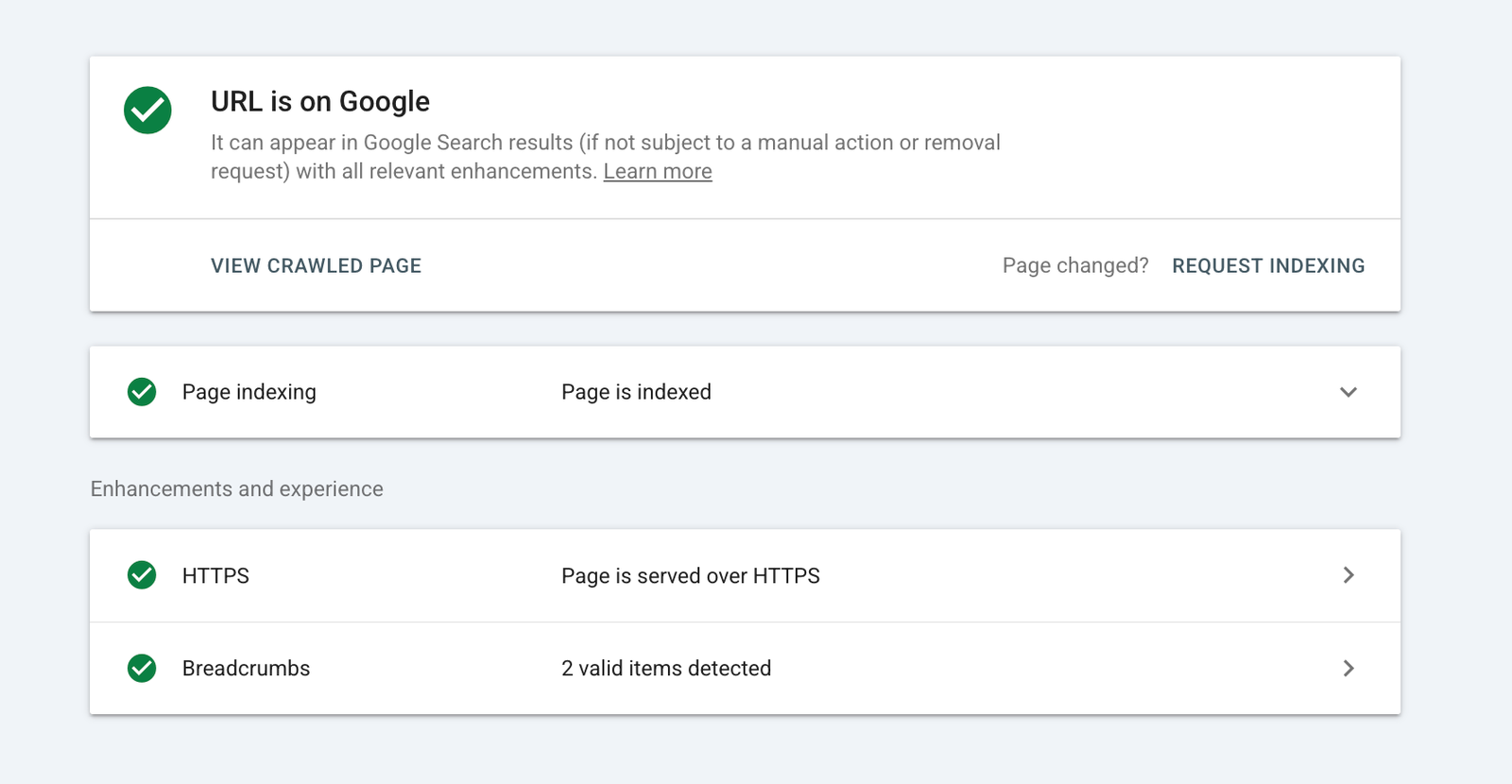
- URL Inspection: paste any important URL into Search Console’s URL Inspection tool. It tells you whether the page is indexed and which canonical Google chose.
Google’s Starter Guide also has some reassurance here: if the same content is reachable at a few different URLs, it’s “inefficient” but it won’t cause a manual action. Tidy it with canonicals, but don’t lose sleep over it.
Myths you can stop worrying about
These come up again and again in Indian SEO forums, agency proposals and WhatsApp groups. Here’s what Google’s own documentation says.
Myth | What Google says |
“Add meta keywords to every page.” | “Google Search doesn’t use the keywords meta tag.” |
“Your blog post must be 2,000+ words to rank.” | “There’s no magical word count target, minimum or maximum.” |
“Get an exact-match domain like bestseoservicesmumbai.com.” | Keywords in the domain name or URL path “have hardly any effect beyond appearing in breadcrumbs.” |
“Headings out of order will hurt your rankings.” | “It doesn’t matter if you’re using them out of order.” |
“E-E-A-T is a ranking factor you can optimise directly.” | Asked if it’s a ranking factor: “No, it’s not.” The signals behind it still matter. |
“Duplicate content gets you penalised.” | Content at multiple URLs is “inefficient, but it’s not something that will cause a manual action.” |
“Add FAQ schema for rich results.” | FAQ rich results stopped appearing on 7 May 2026. |
“Run Google’s Mobile-Friendly Test.” | Retired in December 2023. |
“Keyword density should be 2%.” | Google’s spam policies call out “repeating the same words or phrases so often that it sounds unnatural.” There’s no target percentage. |
8 on-page SEO mistakes Indian businesses keep making
- The same title on every page. “Home | Company Name” copied site-wide by the theme.
- “Best,” “No. 1” and “Top” in every title. Readers have learned to ignore them, and they make titles long.
- City pages with only the city name swapped. Fifty pages saying “Best interior designer in Nagpur,” “…in Nashik,” “…in Aurangabad,” with identical text. Google’s spam policies list this kind of doorway page by name. Only create a city page if you have real local content: an office, projects, team or clients there.
- A block of city names in the footer. “We serve Delhi, Noida, Gurgaon, Faridabad, Ghaziabad…” Google’s spam policies list “blocks of text that list cities and regions that a web page is trying to rank for” as keyword stuffing.
- The full-screen enquiry pop-up that appears before the page loads.
- Losing all rankings during a website redesign because no one set up 301 redirects from old URLs.
- Product pages with the manufacturer’s description copied word for word, the same text used by 40 other sellers.
- Fake reviews and ratings in schema markup. It breaks Google’s rules and, for sellers, can also fall foul of consumer protection law.
The printable on-page SEO checklist for Indian businesses
Copy this into a Google Sheet or print it. Go through it for every important page, and again whenever the page is edited.
Content
☐ I’ve checked the top 10 Google results for this keyword, and my page matches their format and intent.
☐ This page targets one main topic; no other page on my site competes for it.
☐ The page includes our own numbers, photos, examples or experience.
☐ The main question is answered in the first 60 words.
☐ Prices are in ₹ with GST status clear; Indian formats and terms are used.
☐ If we have language versions, each has its own URL and correct hreflang tags.
HTML elements
☐ The title tag is unique, has the main keyword near the start, and is roughly 50 to 60 characters.
☐ The meta description is unique, accurate, and around 140 to 160 characters with one concrete detail.
☐ There’s one H1, close in meaning to the title, and H2s/H3s form a logical outline.
☐ The URL is short, lowercase, hyphenated and descriptive; any old URL is 301-redirected.
☐ Images are compressed (WebP/AVIF), resized, have width/height set and descriptive alt text.
☐ The page links to 2 or more relevant pages, and 2 or more pages link to it, with descriptive anchor text.
Trust
☐ The author’s real name, photo and credentials are shown, linked to an author page.
☐ Business name, address with PIN, +91 phone, email and hours are on the page and match Google Business Profile.
☐ Privacy, refund/return, shipping and grievance officer details are linked in the footer (if applicable).
☐ A “Last updated” date is shown, and facts, prices and rules on the page are current.
Page experience
☐ All content, headings and structured data on desktop also appear on mobile.
☐ Mobile PageSpeed Insights / Search Console shows LCP ≤ 2.5 s, INP < 200 ms, CLS < 0.1 (or a plan to get there).
☐ The site loads on HTTPS with no mixed-content warnings.
☐ No full-screen pop-up covers the content on arrival.
Machine-readable
☐ Structured data matches visible content and passes the Rich Results Test.
☐ The canonical tag points to the right URL, there’s no stray noindex, and robots.txt doesn’t block the page.
☐ The URL is in the XML sitemap and shows as indexed in Search Console’s URL Inspection tool.

Which factors matter most for your type of page?
All 20 apply everywhere, but some deserve extra attention depending on the page:
Page type | Spend most of your time on |
Homepage | Factors 6, 12, 13, 18, 19 (title, trust, business details, no pop-ups, Organization schema) |
Service page (e.g. “GST registration in Pune”) | Factors 1, 3, 4, 13, 11 (intent, experience, early answer, local details, links from related posts) |
Product page (D2C or e-commerce) | Factors 3, 10, 14, 17, 19 (original descriptions and photos, image speed, legal policies, Core Web Vitals, Product schema in INR) |
City or branch page | Factors 3, 5, 13, 19 (real local content, local terms, exact branch details, LocalBusiness schema) |
Blog post or guide | Factors 1, 2, 3, 4, 12, 15 (intent, no overlap, experience, answer first, author, freshness) |
How to audit one page in 30 minutes with free tools
You don’t need a paid tool to start. Here’s a quick routine for one page:
- Google Search Console, URL Inspection (2 minutes): Is it indexed? Which canonical did Google pick? Any mobile issues?
- Search Console, Performance report (5 minutes): Filter by this page. Which queries bring impressions? Is the click-through rate low compared with your other pages? If yes, rewrite the title and meta description (Factors 6 and 7).
- PageSpeed Insights, Mobile tab (5 minutes): Note LCP, INP and CLS, and the top two suggestions.
- View page source (Ctrl+U) (5 minutes): Check the title, meta description, H1, canonical and any noindex tag.
- Rich Results Test (3 minutes): Check structured data for errors.
- Your own phone on mobile data (5 minutes): Read the page start to finish. Tap the phone number. Try the form. Is anything annoying?
- Google the main keyword (5 minutes): Compare your page with the top three results. What do they have that you don’t?
For a full-site crawl, Screaming Frog’s free version checks up to 500 URLs and flags missing titles, duplicate H1s, broken links and redirect chains.
Frequently Asked Questions
What is an on-page SEO checklist?
An on-page SEO checklist is a list of improvements you make on your own web pages so Google can understand, trust and rank them. It covers search intent, content quality, title tags, meta descriptions, headings, URLs, images, internal links, trust details, mobile experience, page speed and structured data.
What is the difference between on-page and off-page SEO?
On-page SEO is everything you control on your own pages: content, titles, headings, images, speed and code. Off-page SEO happens elsewhere, like backlinks from other websites, your Google Business Profile, reviews and mentions in the news. Most Indian small businesses should fix on-page issues first, because they’re fully in your control and often free.
What is the ideal title tag length in 2026?
Google sets no fixed limit and trims titles to fit the screen. Zyppy’s study of 80,959 titles found titles of 51 to 60 characters were rewritten least by Google. So aim for roughly 50 to 60 characters, with the main keyword near the start and a different title for every page.
Does page speed affect Google rankings in India?
Yes, but less than relevance. Google says Core Web Vitals align with what its ranking systems reward, but it will still show the most relevant page even if its experience is poor. The bigger effect is on customers: redBus reported a 7% sales increase after improving responsiveness.
Is FAQ schema still useful in 2026?
FAQ rich results stopped appearing in Google Search on 7 May 2026, so FAQ schema no longer earns extra space in results. The markup is still valid and harmless. Keep FAQ sections on your pages if they genuinely help readers, because clear question-and-answer content is easy for both people and AI answers to use.
Should Indian businesses create Hindi or regional-language pages?
If your customers search in Hindi or a regional language, yes. IAMAI-Kantar found 98% of Indian internet users accessed content in Indian languages. Give each language version its own URL, add hreflang tags such as hi-IN, and have a human review translations. Don’t rely on an automatic translate widget.
How often should I review my on-page SEO?
Check your most important pages every six months, and every time you change prices, services, contact details or your website design. Review any page immediately if its impressions or clicks drop sharply in Search Console.
Can I do on-page SEO myself, or do I need an agency?
Most of the checklist is doable yourself with Google Search Console, PageSpeed Insights and a few hours a month. You may need a developer for Core Web Vitals, redirects during a redesign, structured data and hreflang. Whoever does it, ask for before-and-after numbers from Search Console.